

The tour
Forty-eight seconds, no narration
Everything below, recorded on a real iPhone from real cards — swiping between them, choosing what each person gets, and the codes that carry it.
Share
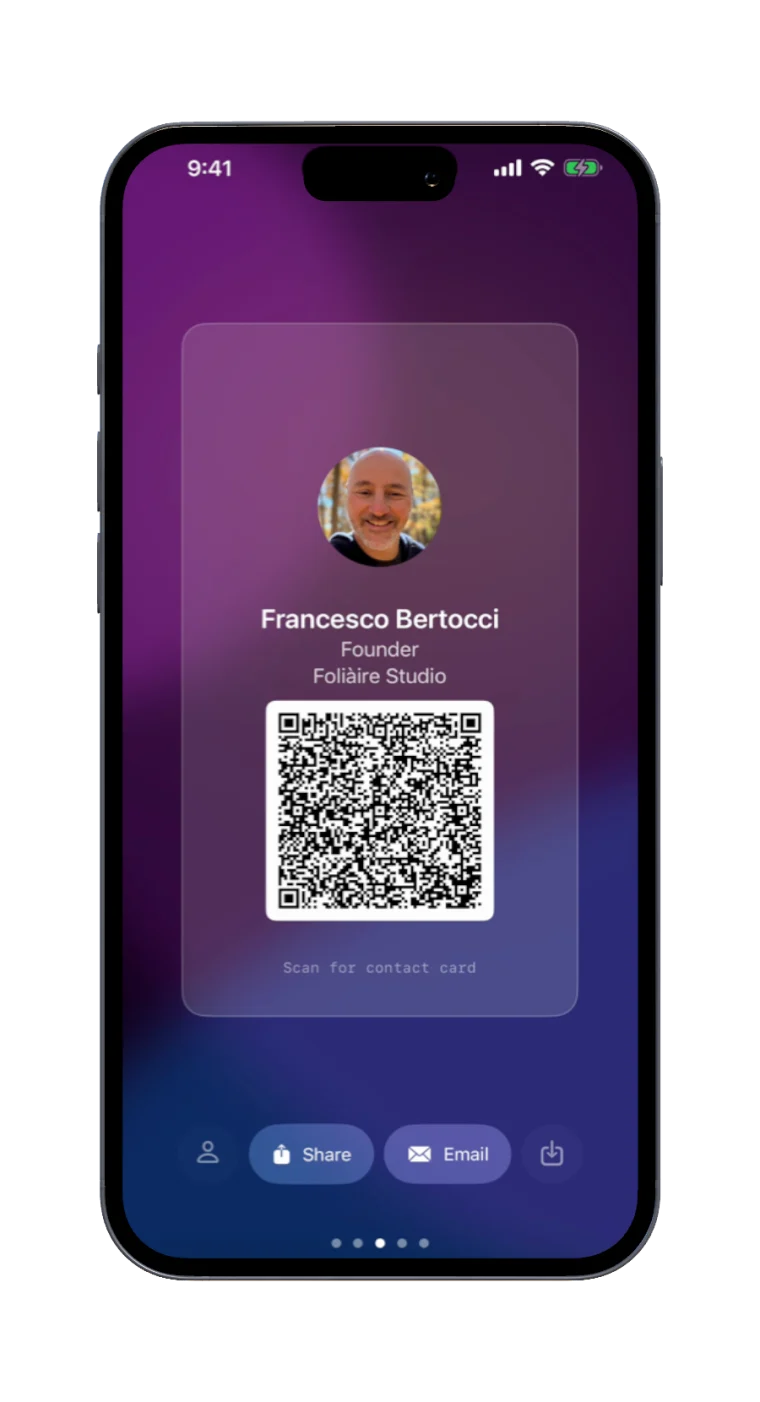
One code. Everything about you.
Build your card once — name, title, company, links, photo, bio — then hand it over with a QR code anyone can scan with their camera. Your details land straight in their contacts.
- Nothing to install on their end
- Website, socials, booking and payment links
- Every link gets its own code too — swipe to the one you need
- Or send it by AirDrop, Messages, or email
Control
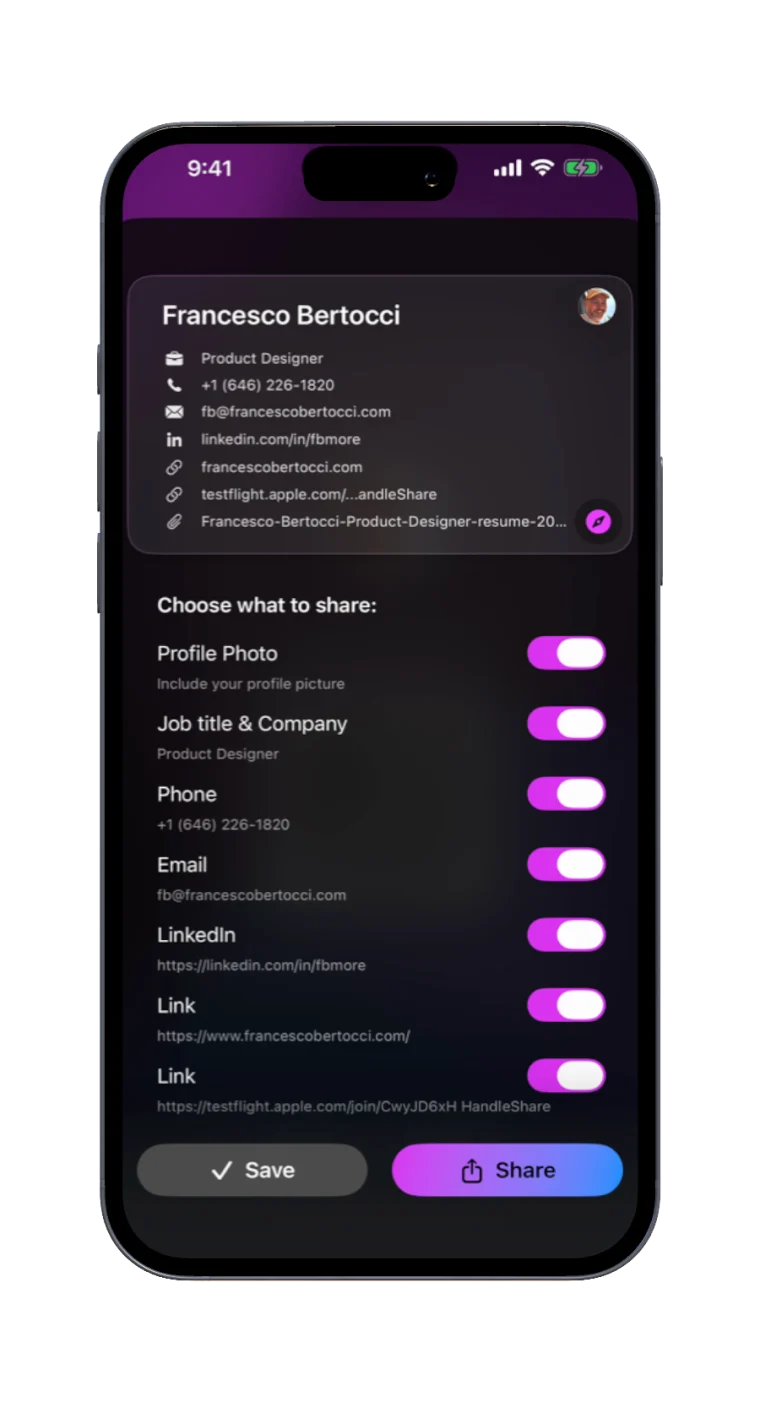
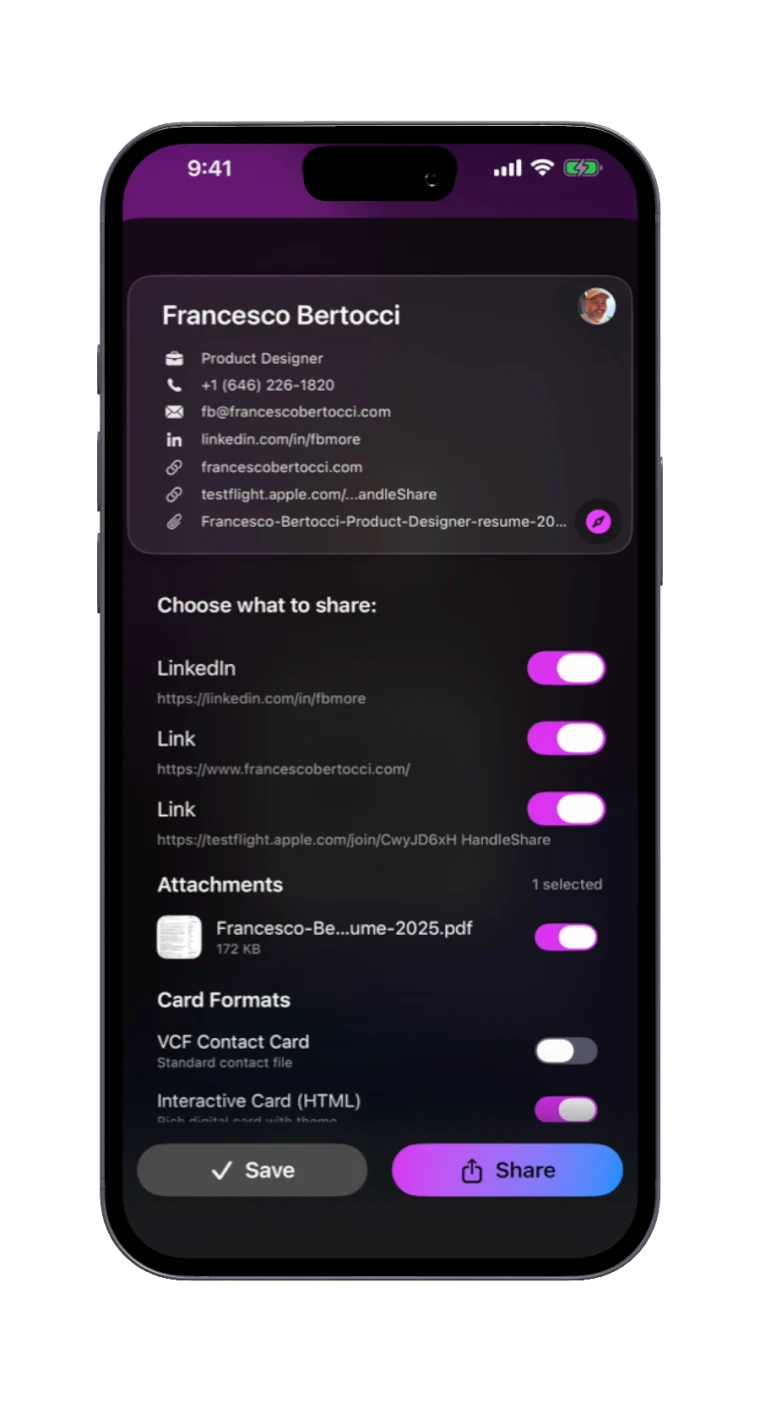
Decide what goes out, every time
A recruiter gets your phone number. A conference badge scan does not. Flick a switch and the preview at the top of the sheet updates before you send anything — so you always see exactly what the other person will receive.
- Per-share, not per-card — the same card, two different handshakes
- Send as a contact card, a rich digital card, or both
- Nothing leaves your phone until you tap Share
Scan
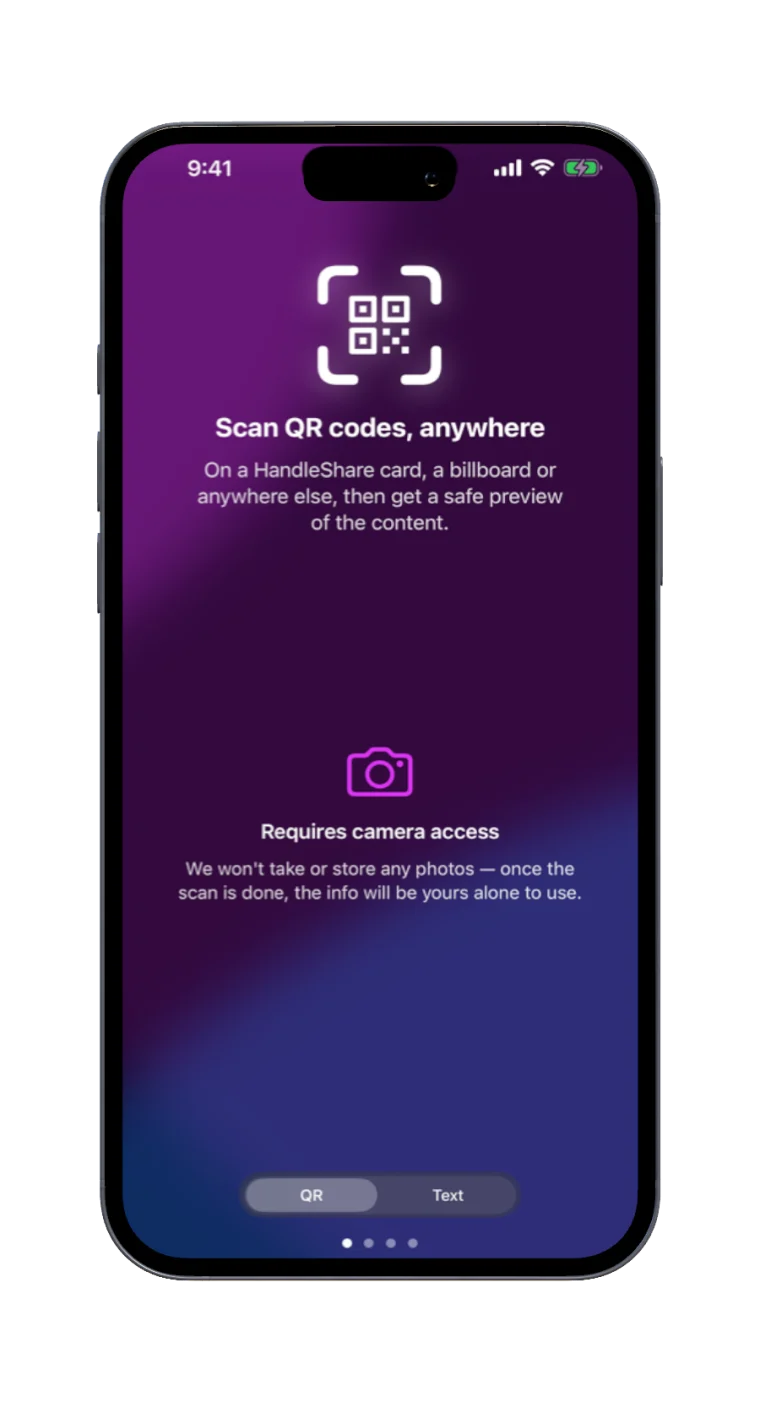
Paper cards, digitised on the spot
Handed a paper business card? Point the camera at it and Handleshare reads the details and offers to save them to Contacts. Your scan history keeps everything you've collected in one place.
- Reads names, numbers, emails and addresses
- Scan history you can search later
Profiles
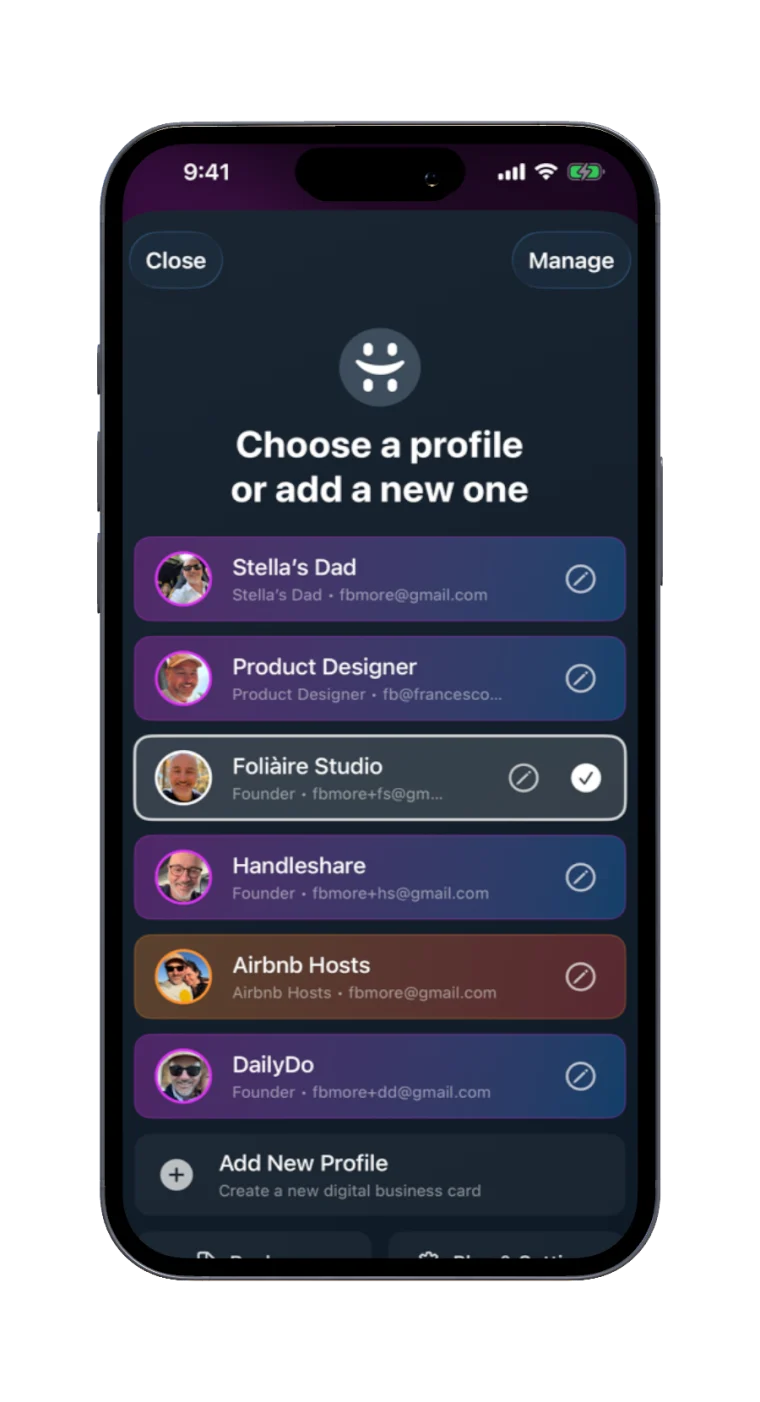
A different card for every room
Keep work, personal, side project and event cards separate, and switch between them instantly. Nobody at the school gate needs your invoicing details.
- Separate links, photo and bio per card
- Switch in a tap — each keeps its own QR code
Files
Send the portfolio with the card
Attach a rate card, menu, resume or lookbook and it travels with your card. Pick which files go out with each share, and let Mail Drop handle the big ones.
- PDFs, images and documents from Files or camera
- Choose what's included, share by share
Free for most people. Paid only if you need more cards.
Everything that lives in your own iCloud costs us nothing to run, so it isn't gated. The only thing Pro changes is how many cards you can keep.
Free
$0 — forever
- Two cards
- Unlimited QR, AirDrop, Messages and email sharing
- Wi-Fi codes, paper-card scanning, no scan limits
- File attachments, any size, through Apple's own pipes
Pro
$2.99/mo · $19.99/yr · $49 once
- Unlimited cards — work, personal, side project, school
- Everything in Free, unchanged
- Still your iCloud — Pro never moves your data
Yearly saves 44% against monthly. Lifetime is a one-time purchase, not a subscription. Downloaded HandleShare before version 3.0? Pro is yours free — nothing to claim.
No account. No tracking. No servers of ours.
Handleshare has nothing to sign up for. Your cards live on your device and sync through your own private iCloud, and we have no server to copy them to. The one thing that does leave: if you buy Pro, our payments provider sees an anonymous ID for your install and whether the purchase is active — never your name, your email, or anything from a card. The whole policy is two minutes long.
Private by design
No sign-up, no analytics, no ads. Sharing happens phone-to-phone, and only when you choose.
Your iCloud, not ours
Cards sync across your devices through your private iCloud, so a new iPhone picks up where the old one left off.
Works offline
Cards, QR codes and files are always ready without a connection. Sync catches up when you're back online.